
Legion Workforce Engagement
Legion TechnologiesBusiness
4.73.97K Reviews
- Version
- 3.7.5
- Installs
- 1.00M
- Age Rating
- Everyone
Screenshots
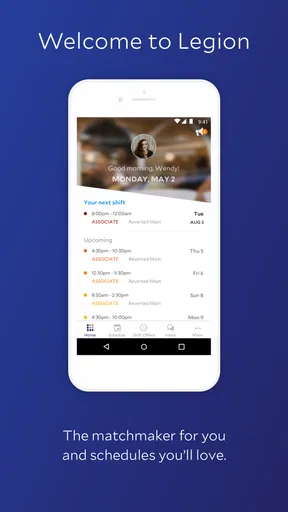
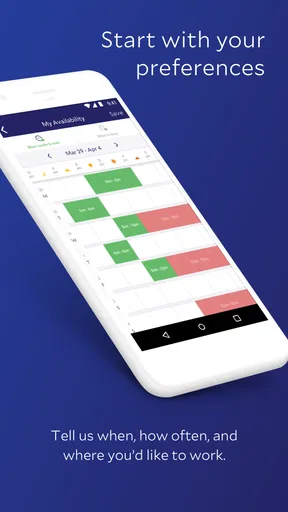
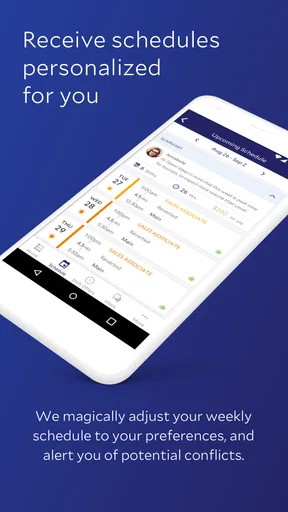
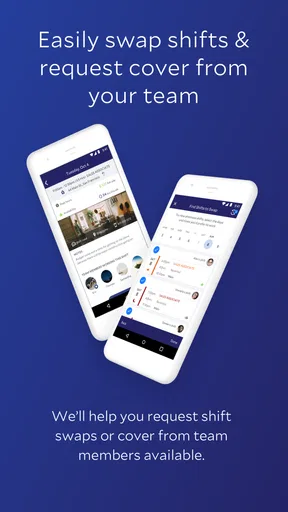
Our Review of Legion Workforce Engagement
 Analysis by Appyee
Legion Workforce Engagement is the kind of business app I would judge less by flashy presentation and more by whether it makes a working day easier for employees and managers. Developed by Legion Technologies, it is designed around workforce engagement, so its value depends heavily on how a company organizes schedules, communication, and day-to-day team participation. I found it most relevant for people whose work changes from shift to shift rather than for office workers with a fixed calendar.
The app is free to install and is rated for Everyone, which makes it approachable on a personal phone. It has been available since February 22, 2017, and the current version is 3.7.5. Its Android requirement is version 9 or later. Those details matter because an employee may not be choosing the platform used by their employer; they simply need to know whether their existing device can run it comfortably.
My overall view is positive, but with an important qualification: this is a workforce tool, not a general-purpose task manager or chat app. It makes the most sense when an organization already uses Legion’s system and expects employees to interact with work information through the mobile app. Without that workplace connection, there is little reason for an individual user to install it independently.
How I would decide whether it is the right workplace app
I’d decide by tracing one real workday from the moment a shift is confirmed to the point when a change needs to reach the team. If Legion gives employees and managers a clear shared place to handle those moments, it may earn a regular spot on your phone; if the same details still live in several channels, the extra app could create more checking than clarity. That distinction leads to the practical question of how your workplace will use it.
Start with the working pattern, not the feature list
The first question I would ask is whether your job involves changing shifts, variable availability, or frequent updates from a manager. A retail associate, hospitality worker, healthcare support employee, or another shift-based worker may benefit from having work-related actions in one mobile location. Someone who works Monday to Friday at a desk and already relies on a company calendar may gain much less.
The second question is whether your employer has actually adopted Legion Workforce Engagement. This is not a standalone productivity app where you create a personal workspace and invite colleagues whenever you like. Its usefulness comes from the employer’s setup, the information made available to the team, and the habits managers establish around it. In practical terms, the app can be well designed and still feel useless if your workplace barely uses it.
I would also consider how quickly your team needs to react. A shift-based workplace often changes in small but important ways: a schedule is adjusted, a worker becomes unavailable, or a manager needs a better view of staffing. A mobile workforce app can be more convenient than waiting for a noticeboard, a group message, or a spreadsheet to be updated. However, convenience depends on everyone treating the app as the current source of truth.
The questions worth answering before switching
Before moving from an existing process, I would ask your manager who maintains the information and what employees are expected to do inside the app. Is it mainly for viewing schedules? Is it also used for availability, communication, or shift-related requests? The answer will shape your experience far more than the app’s store category.
I would also clarify what happens when the app and the old method disagree. If a supervisor still posts changes in a chat group while the app shows something else, employees are forced to check both. That is not a flaw I can solve from the phone; it is an adoption problem. Legion Workforce Engagement works best when managers use it consistently and explain which updates require attention.
Finally, think about device access. Employees who share a phone, use an older device, or have limited mobile data may find a phone-first workflow less comfortable than a workplace process built around paper, desktop access, or direct manager contact. The Everyone age rating makes the app broadly accessible, but accessibility in everyday life also depends on the employee’s technology and work environment.
What everyday use feels like
Imagine a restaurant employee checking their phone before leaving home. Instead of relying on a printed schedule that may already be outdated, they open the workplace app to review the information their employer has made available. If a change has been posted there, the employee has a clearer place to look than a collection of old messages. That simple habit can reduce uncertainty, especially when shifts vary during the week.
The manager’s experience is different. A manager may use the connected workforce system to coordinate staffing while employees use the mobile side to stay informed and engage with work-related updates. The app therefore serves two audiences at once, but not in the same way. Employees want clarity and quick access; managers want participation and fewer disconnected channels. A good rollout has to respect both needs.
One useful habit is to check the app at a predictable point in the day rather than waiting for a notification or assuming that no message means no change. I would treat it as a work check-in tool, not something that should interrupt every moment away from work. That distinction helps prevent the app from becoming another source of unnecessary digital pressure.
Where the app has its strongest advantage
The strongest advantage is the connection between a mobile employee experience and a broader workforce engagement system. Traditional alternatives often split the job between a spreadsheet for schedules, a messaging group for announcements, and verbal conversations for last-minute details. A dedicated Legion workflow can give an organization a more deliberate place for work information and participation.
This matters most in teams with many hourly or distributed employees. A worker may not sit near a supervisor, have access to a company computer, or see a physical noticeboard during every shift. A phone-based route is more practical for that audience. In my view, that is the app’s clearest reason to exist: it brings workplace interaction closer to the device employees already carry.
Another advantage is accountability through a shared process. When a company relies on informal conversations, employees may remember different versions of the same update. A central mobile experience can make the intended workflow easier to follow. That does not automatically guarantee accurate information, but it gives the organization a better foundation than scattered notes and private messages.
The app also fits employers that want engagement to be part of normal operations rather than a separate annual survey exercise. The name and positioning point toward an ongoing relationship between workers and the organization. In the right workplace, that can make employees feel more connected to how their work is organized, rather than treating scheduling as a one-way announcement.
Three practical insights that are easy to miss
First, the app’s value is partly social and procedural. If only employees use the mobile side while managers continue making changes elsewhere, the experience becomes a display window rather than a complete workflow. I would judge the employer’s discipline as much as the app itself. Consistent use is a hidden requirement.
Second, a single mobile destination can reduce confusion, but it can also concentrate confusion if the underlying workplace process is unclear. Before blaming the app for a missing or unexpected update, I would check whether the manager has defined when information becomes official. This is a small distinction, yet it prevents employees from treating every message as equally authoritative.
Third, the best use may be routine rather than dramatic. Workforce software does not need to transform a day to be worthwhile. If it helps an employee confirm what they need to know before traveling to work, or helps a manager avoid repeating the same update across several channels, that modest improvement can matter repeatedly. I would look for those small reductions in friction instead of expecting the app to solve every staffing challenge.
Where the usual alternatives may fit better
A basic calendar can be better for a small team with fixed hours and very little change. It is familiar, easy to understand, and often already available on everyone’s phone. If your workplace only needs a simple list of appointments, introducing a dedicated workforce engagement platform may add more process than value.
A group messaging service may suit a team that mainly needs quick conversation. It can feel faster for urgent questions and informal coordination. The trade-off is that important details can disappear into a busy stream, and employees may struggle to identify the latest version of a schedule. I would prefer Legion’s approach when the organization needs a more structured work channel, but I would not dismiss messaging for genuinely immediate conversations.
Spreadsheets and printed schedules can remain practical for very small businesses, especially when one person controls the roster and changes are rare. They are less attractive when the team is spread across locations or when employees need information outside the workplace. In those situations, a dedicated mobile app has a stronger case, provided the employer keeps it current.
Large organizations may also compare Legion with broader workforce management suites. I would not choose between them based only on the mobile interface. The real decision involves how well the platform fits existing payroll, scheduling, communication, and management routines. Legion Workforce Engagement may be a good fit when engagement and employee access are central priorities; another category may be better when the main requirement is deep administrative control or a narrowly focused scheduling tool.
Limitations I would take seriously
The biggest limitation is dependency on employer adoption. An individual cannot create value from the app alone. If your organization has not configured a useful workflow, the app may offer little practical benefit no matter how polished the mobile experience feels.
There is also a learning curve created by workplace expectations. Employees need to know when to check the app, which actions matter, and where to ask for help. Managers need to avoid duplicating every update in several places. Without clear rules, the app can become one more channel to monitor instead of the channel that simplifies work.
Another limitation is that mobile convenience is not universal. Some people prefer a larger screen when reviewing detailed information, while others may not want work activity on a personal device. A phone-based tool is naturally strongest for quick access and weaker for anyone who dislikes mixing personal technology with employment tasks.
I would also avoid assuming that a high public rating guarantees a perfect experience for every workplace. The app has an average rating of 4.7 from around fifteen thousand ratings, and it has passed one million installs, which suggests substantial adoption and generally favorable reception. Still, ratings combine different employers, devices, configurations, and expectations. Your organization’s implementation remains the deciding factor.
Understanding the cost of switching
The app itself is free, so the obvious financial barrier is low for employees. The less visible cost is behavioral. A team moving from paper, spreadsheets, or chat needs to learn a new routine, update old habits, and decide which channel should be trusted. That transition can feel inconvenient even when the long-term workflow is better.
For employees, the change may be as simple as installing the app, signing in through the workplace process, and checking it regularly. For managers, the cost is greater because they must keep information accurate and communicate the new expectations. A company that treats installation as the entire rollout is likely to see weak engagement.
I would recommend a gradual switch rather than an abrupt one. For a short period, managers can explain the new process clearly while watching for common confusion: employees missing updates, checking the wrong channel, or not understanding what action is expected. Once the team is comfortable, maintaining multiple systems becomes less attractive and the organization can simplify communication.
There is also a trust cost to consider. Employees will rely on a workforce app only if the information is timely and relevant. One poorly handled change can make people return to private messages or direct calls. That is why accuracy and consistency matter more than simply having a modern-looking mobile tool.
Who should use it and who should skip it
I would recommend it to employees in shift-based workplaces whose employers actively use Legion Technologies for workforce engagement. It is especially suitable when schedules or work information need to reach people who are rarely at a desk. The mobile format can make routine checking more natural than relying on a computer or a physical noticeboard.
I would also recommend it to managers who want a more organized connection with a distributed team, but only if they are willing to make the app part of the operating rhythm. The benefit is not created by installation; it comes from using one dependable process for updates and employee participation.
I would skip it if you are looking for a personal planner, a general team chat tool, or an independent way to organize freelance work. It is not the right choice simply because it is free. I would also be cautious if your employer still handles every important update through another channel, because installing a second app will not remove that duplication.
My recommendation after weighing the trade-offs
My recommendation is positive for the right workplace and neutral for everyone else. Legion Workforce Engagement is a focused business app from Legion Technologies that can make shift-based work feel more connected when the employer has built a clear, consistent process around it. Its strongest quality is not that it replaces every workplace tool; it is that it offers employees a practical mobile doorway into an organized workforce system.
The public reception is encouraging, with a 4.7 average and roughly four thousand written reviews, while the free price removes a common obstacle for employees. I would still make the decision based on your employer’s rollout, not on the rating alone. Ask which information lives in the app, how often you should check it, and what happens when another channel conflicts with it.
For a team that answers those questions clearly, I can see this becoming a useful daily habit rather than another forgotten installation. For a small or fixed-schedule workplace, a calendar or simple communication method may remain easier. My final advice is straightforward: choose Legion Workforce Engagement when your organization is ready to make it the dependable home for workforce interaction; otherwise, the app’s potential will remain mostly unused.
Verdict
Strengths of Legion Workforce Engagement
- Centralizes workforce updates, tasks, and announcements in one app.
- Helps employees stay connected with teams across different locations.
- Provides quick access to company resources and internal information.
- Mobile notifications can improve response times for important updates.
- Useful for supporting engagement in large or distributed workforces.
Limitations of Legion Workforce Engagement
- Some features may depend on your employer’s Legion platform setup.
- Requires company credentials, so it has limited personal value.
- Frequent notifications may become distracting during busy shifts.
- Performance can vary with weak internet or older mobile devices.
- Access to schedules and tools may differ by workplace or user role.
Similar Picks in This Category
View All
LinkedIn: Community & Network
LinkedIn3.8

Zoom Workplace
zoom.com4.1

Microsoft Teams
Microsoft Corporation4.6

Meta Business Suite
Meta Platforms, Inc.4.6

Webex Meetings
Cisco Systems, Inc.4.5

TeamViewer Remote Control
TeamViewer4.4
Frequently Asked Questions
What is Legion Workforce Engagement used for?
Legion Workforce Engagement is a workforce management app designed to help employees and managers coordinate work more efficiently. Depending on the organization’s setup, employees may use it to view schedules, confirm availability, request time off, swap shifts, receive workplace messages, and review labor-related information. Its available tools can vary because employers choose which Legion features and permissions their staff can access.
Can employees use Legion Workforce Engagement to view and manage their schedules?
Yes, schedule management is one of the app’s main purposes. Employees can typically check upcoming shifts, locations, roles, and working hours from their mobile device. In some workplaces, the app may also allow users to submit availability, request schedule changes, volunteer for open shifts, or exchange shifts with coworkers. Every request may still require manager approval according to company policy.
Is Legion Workforce Engagement free to download and use?
The app may be available to download without a direct purchase price, but access is generally provided through an employer or organization that uses Legion’s workforce platform. Downloading the application alone does not usually create an active account or provide access to schedules. You may need valid company credentials, an invitation, or an organization-specific setup before the app becomes useful.
What information and permissions does Legion Workforce Engagement require?
Legion Workforce Engagement may request permissions needed for workplace communication and scheduling, such as notifications, calendar-related access, location services, or device storage, depending on the features enabled by your employer. Location access may support workplace verification or operational tools, but requirements differ between organizations. Before accepting permissions, review the app’s prompts and your employer’s privacy guidelines.
What should I do if I cannot log in or my schedule is missing?
If you cannot sign in, first confirm that you are using the email address, phone number, or credentials registered with your employer and check your internet connection. Updating the app and resetting your password may also help. If your schedule remains unavailable, contact your manager, HR department, or workplace Legion administrator, since account activation, permissions, and schedule publication are controlled by the organization.
